Codayada Dynamic CAS Columns
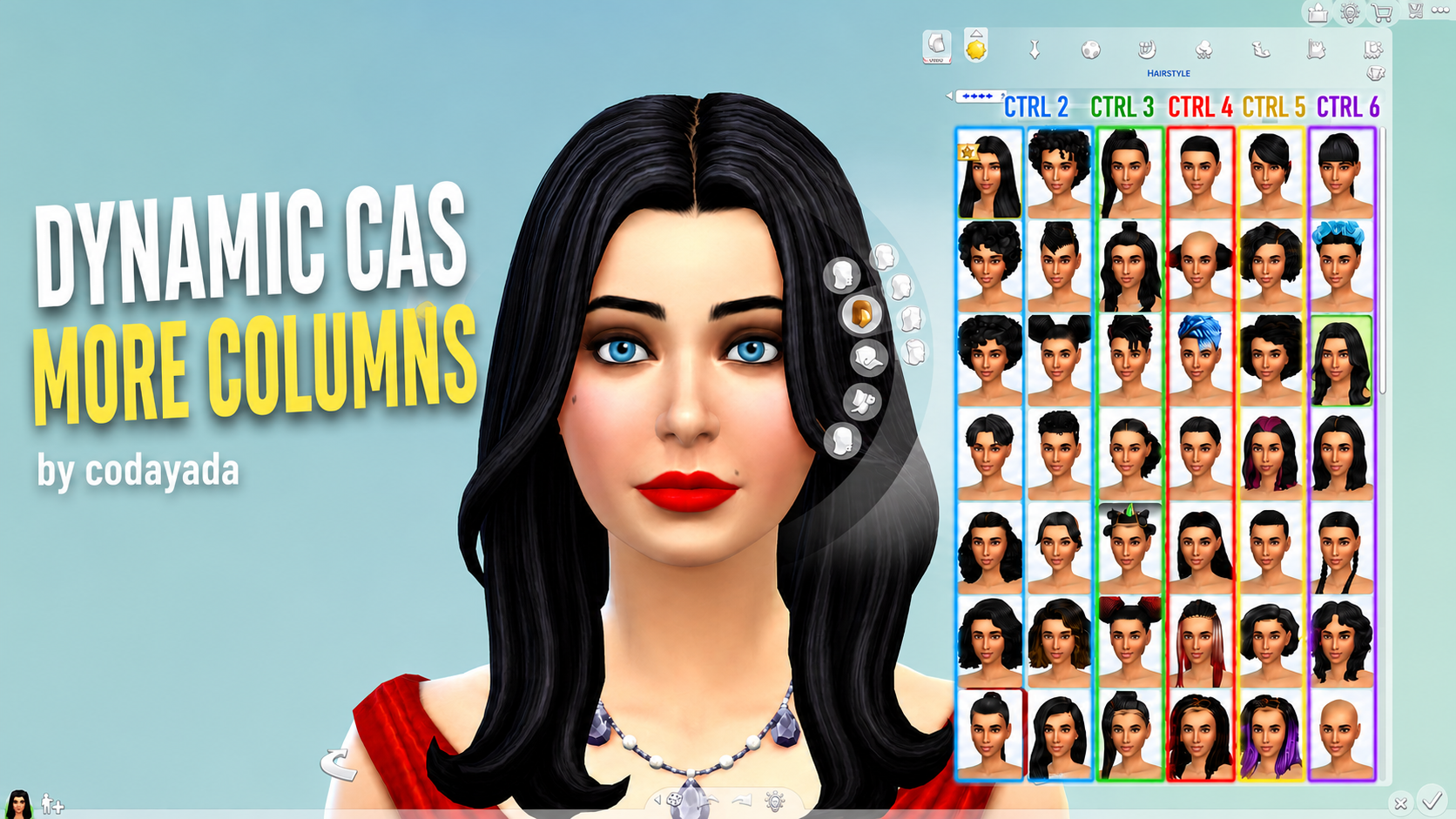
No more restarting your game or swapping files just to change your CAS layout! Codayada Dynamic CAS Columns puts the Create-A-Sim screen completely under your control, allowing you to instantly change your column width while you are actively playing. Want to jump straight from 7 columns down to 2? Or switch from 5 back to 3? You can do it in a split second. Just press a keyboard shortcut and the UI instantly adapts to your needs. You can seamlessly bounce back and forth between any column counts without ever breaking your game’s flow. How It Works & Key Features:
Choose Your Starting Default: You are in total control from the start. When installing the mod, just pick the default number of columns you want the game to launch with (Default, 2, 3, 4, 5, 6, or 7) from the downloaded archive and drop that specific file into your Mods folder.
Real-Time Dynamic Switching: While in the CAS screen, whenever you need to adjust your view, simply use these shortcuts to switch instantly:
Ctrl + 2 : 2-Column layout
Ctrl + 3 : 3-Column layout
Ctrl + 4 : 4-Column layout
Ctrl + 5 : 5-Column layout
Ctrl + 6 : 6-Column layout
Ctrl + 7 : 7-Column layout (Perfect for ultra-wide screens)
Clean & Lightweight: This mod consists of a simple .package file. It requires no heavy or complex script files, ensuring it runs flawlessly and smoothly alongside the game’s original UI architecture. Set the perfect CAS layout for your screen resolution or current design needs with a single keystroke. Enjoy a truly dynamic UI experience!
How to Download Custom Content on Sims 4 ?